What felt like yesterday but is actually closer to 4 years ago I released the first version of code spelunker (cs) and wrote about it here.
I then promptly forgot about everything in it as I was focussed on everything else I had been working on, scc, searchcode, bonzamate, work, children.
Since a few of those are now not something that need my constant focus I decided to revisit cs and improve it. I was also trialing claude code and it seemed like a decent thing to start with.
Code spelunker (cs) or code search is a new command line tool I have been working on and off over the last few years. It allows you to search over code or text files in the current directory either on the console, via a TUI or HTTP server, using some boolean queries or regular expressions.
You can check it out via github https://github.com/boyter/cs, or get the latest release which includes all fixes mentioned below.
Since that first version I have wanted to fix the following things.
- Add proper boolean syntax support. The previous version had a very primitive parser which did not support OR among other things.
- Modify the snippet extractor to fix some known bugs as well as add a new one based around lines more optimised for code.
- Fix a bug in the BM25 calculation that made ranking values lower than they should be.
- Improve the cancellation debounce functions.
- Move to bubbletea for the TUI interface to make it look nicer and improve console support.
- Include scc calculations into the output so you can see the lines of code, comments and complexity of any file.
- Include
sccto determine the language. - Add in ripgrep’s -t support for language names.
- Add a search prefix cache, so as you keep adding terms the search becomes incredibly fast just searching over a subset.
- Add syntax highlighting to the console and TUI view.
- Add proper .gitignore support.
- Improve the HTML view and add multiple inbuilt templates.
Quite a list. The thing is I had most of this done in various places. It was less a matter of implementing everything from scratch than to glue it all together. Which is what LLM’s are excellent at since I am not asking it to do the hard engineering, but instead wrap it all up.
Enough chat, lets look at it. Firstly in TUI mode. I have included a GIF for you.
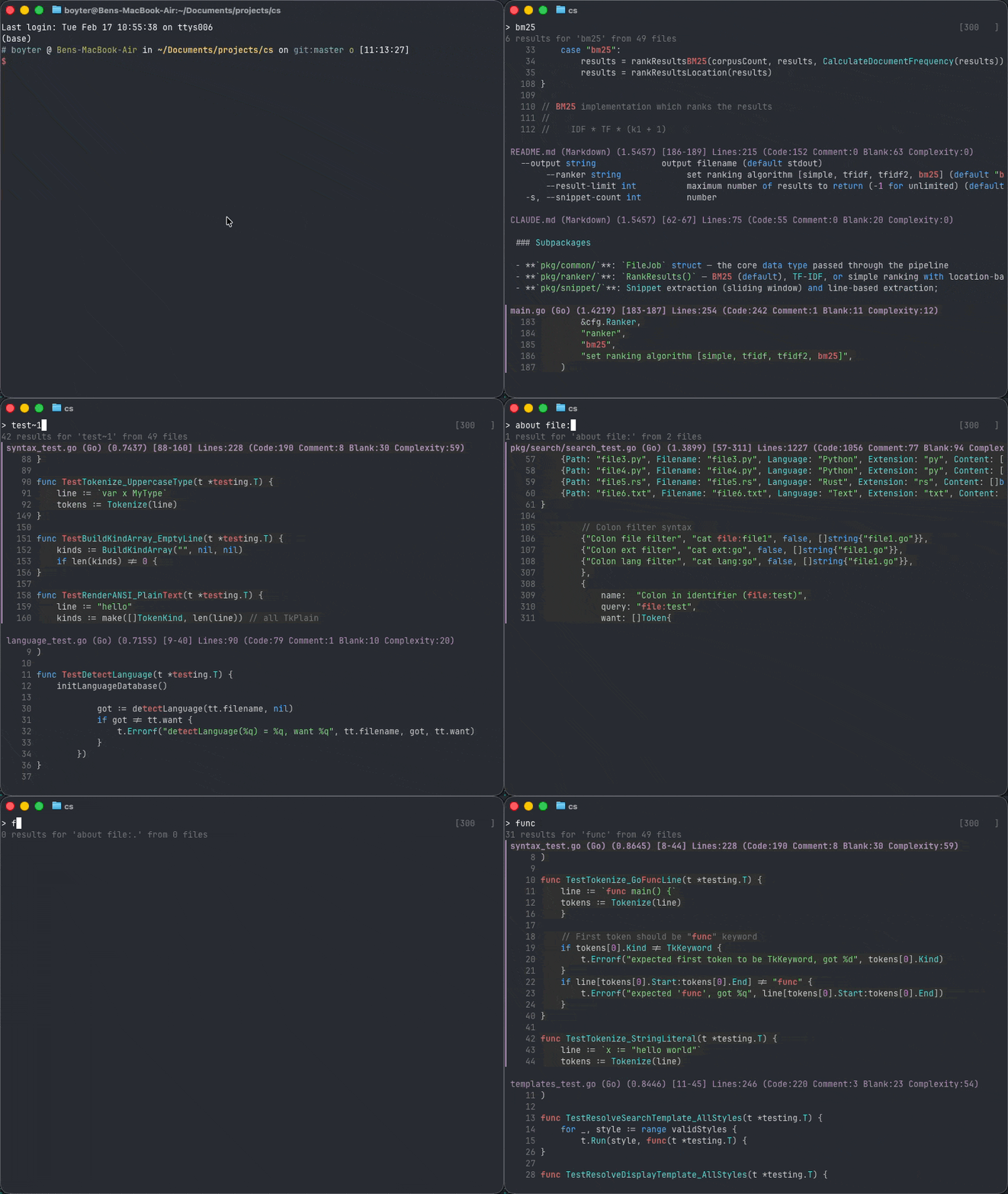
As you can see it supports basic, regex and fuzzy search. You can look move up and down to see the results, and you get all of the scc calculations in the output templates_test.go (Go) (0.8446) [11-45] Lines:246 (Code:220 Comment:3 Blank:23 Complexity:54).
Console mode works in a similar way to TUI with similar output,
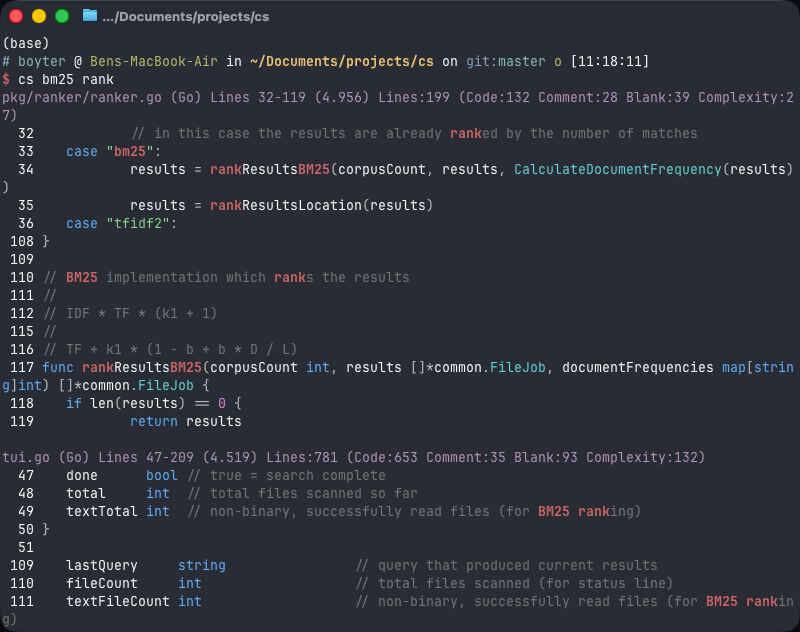
In both cases you can turn off the syntax highlighting if you do not like it.
HTTP mode works with the -d argument, so cs -d where it will by default spin up a HTTP server on port 8080 (you can modify this) and give you this sort of interface.
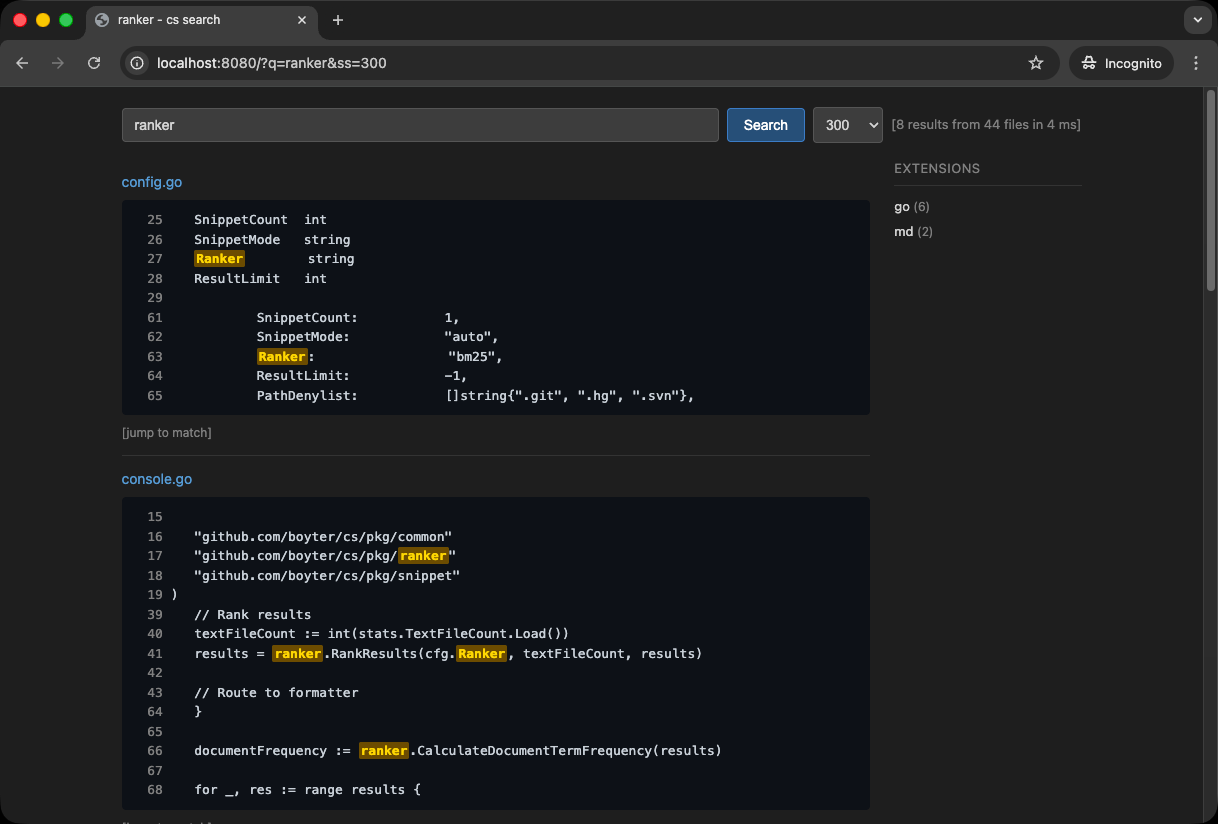
All syntax is supported, and you also get extension filters on the right. You can click through to results and see where the highlighted code is, along with getting the raw file.
You can swap out the templates to the inbuilt dark, light or bare, or supply your own if you so choose.
So where to use cs? Well that depends on you. It is not a replacement for grep, ripgrep or any other code focussed tool. Rather it is closer to being a replacement for some cases of rg THING | fzf.
I find it especially useful when exploring codebases where I know things should be in there but cannot find the right syntax for it. Its also useful when I am looking for more context around the code, or just want a HTTP interface I can work with on my own.
Regardless its the tool I have wanted for a long time, and which I now have, and you can too if you like!
Get the latest release of cs.